蜻蜓伴读
Open sourceWindows

AudioForge

A local audio converter that reads its own output back to verify it. The source file is never modified, every result is checked with ffprobe, and you get 7 target formats, 6 themes and a Chinese/English interface.

How it is built

The worst failure mode of a converter is telling you it succeeded when it did not. So every output is read back with ffprobe — codec, duration, lossless verdict — ten milliseconds of insurance.

Probe before you transcode: if the duration or sample rate cannot be read, it does not transcode. Empty files, random bytes and text files renamed to .mp3 are refused, with the reason spelled out.

The source file is read-only: output always goes to a separate directory, with a counter added for name clashes. There is no overwrite-the-source option, and there never will be.

Failures leave no trace: output is written as .part first and renamed only on success. A failed run leaves nothing behind — no half-written file, no temporary file.

No pointless work: lossless to lossless is skipped with a stated reason. Converting FLAC to WAV only changes the container and doubles the size for nothing.

Honest about DRM: KGM, VPR, QMC and NCM are recognised and filed separately. The file is fine, it just has DRM — this tool does not unpack anything and does not call it broken.

A single 33 MB exe. FFmpeg is yours to install and the project does not ship it. Fully offline: nothing about your files ever leaves it.
Features

What it does

No need to open GitHub — this page spells it out.

01

Read-back verification

The worst failure of a converter is telling you it succeeded. Every output is read back with ffprobe to check codec, duration and the lossless verdict — ten milliseconds of insurance.

02

Probe before transcoding

If the duration or sample rate cannot be read, it does not transcode. Empty files, random bytes and text files renamed to .mp3 are refused, with the reason spelled out.

03

The source file is read-only

Output always goes to a separate directory, with a counter added for name clashes. There is no overwrite-the-source option, and there never will be.

04

Failures leave no trace

Output is written as .part first and renamed only on success. A failed run leaves nothing behind — no half-written file, no temporary file.

05

Pointless work is skipped

Lossless to lossless is skipped with a stated reason: FLAC to WAV only changes the container and doubles the size for nothing.

06

Honest about DRM

KGM, VPR, QMC and NCM are recognised and filed separately. The file is fine, it just has DRM — nothing is unpacked and it is not called broken.

Screens

AudioForge in the interface

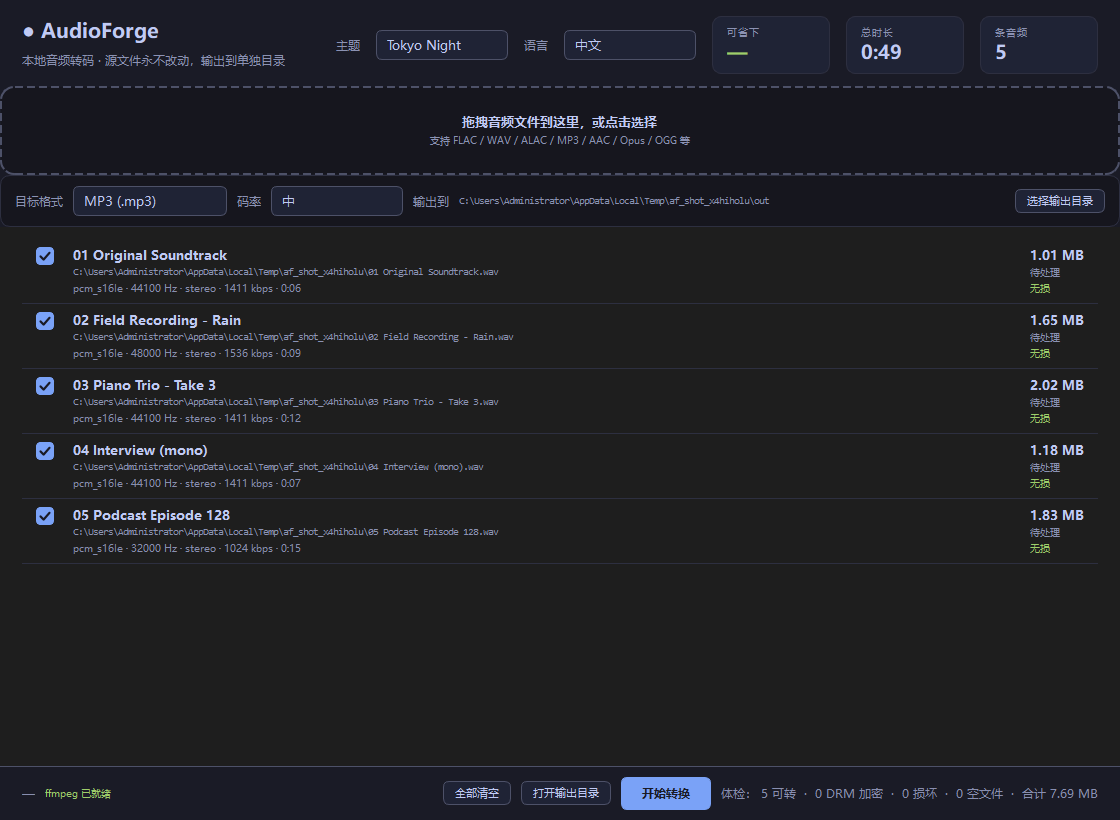
AudioForge interface screenshot 1
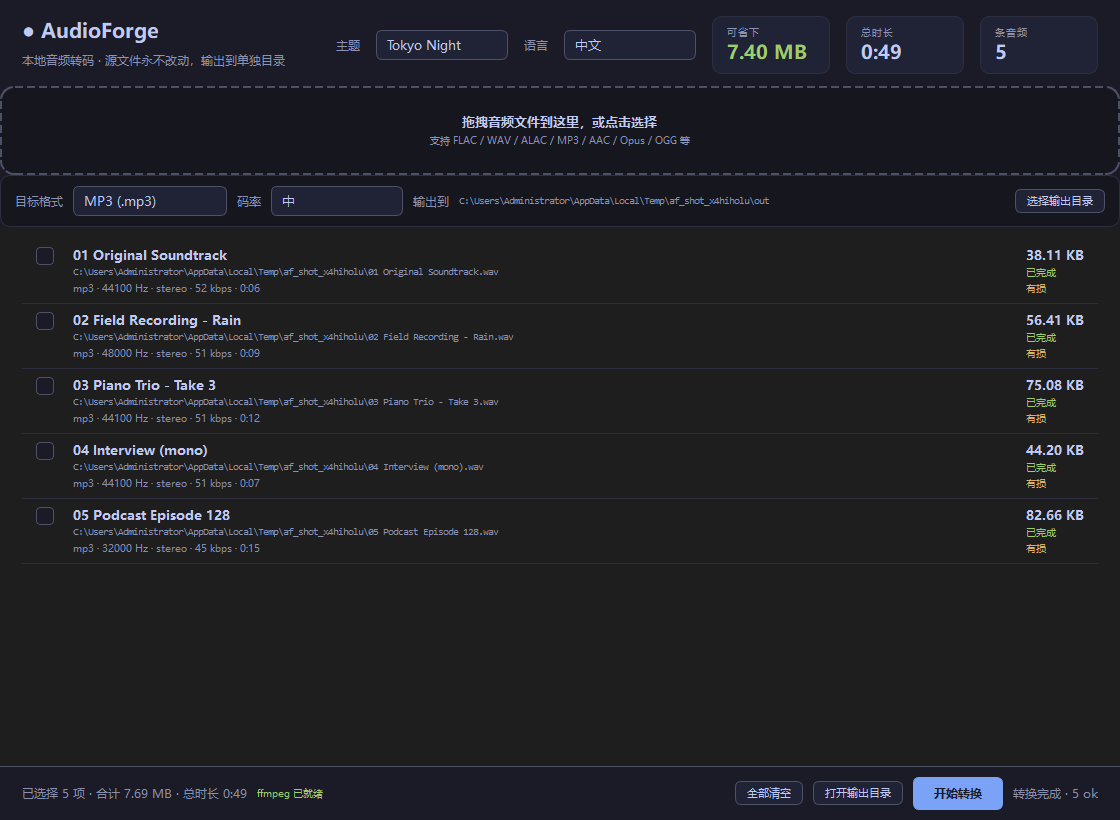
AudioForge interface screenshot 2
AudioForge interface screenshot 3