蜻蜓伴读
Open sourceWindows

DevCleaner

A Windows cleanup tool that finds what is genuinely safe to delete. Ten kinds of evidence drive the scan, files are backed up for seven days and can be rolled back, the registry is exported before it is touched, and every decision states its reason.

How it is built

Most cleanup tools guess. This one shows its reasoning: every entry carries the signal that triggered it — process name, uninstall record, remote address. If it cannot prove a file is dead, it leaves it alone.

Triangle verification, not guessing: an installer only reaches the list when its product name matches and one of process, install directory or uninstall registry key confirms it is installed. A single signal does not count.

Deleted means rollback-able: files are moved into a local backup folder and can be rolled back in one click for seven days. Registry keys are exported to .reg before deletion, and if the export fails the deletion is refused — your registry is never changed silently. Restoring is a reg import.

A Git repository with a remote never enters the deletable list. C:\Windows, Program Files and system temp directories are never scanned. Files held by a running process are skipped and reported rather than forced.

Chinese and English, six themes, with colour contrast verified against WCAG AA. A single 33 MB exe, no runtime and no dependencies, fully offline — it sends not one network request.
Features

What it does

No need to open GitHub — this page spells it out.

01

Triangle verification, not guessing

An installer only reaches the list when its product name matches and one of process, install directory or uninstall registry key confirms it is installed. A single signal does not count.

02

Deleted means rollback-able

Files move into a local backup folder and can be rolled back in one click for seven days; expired backups are cleared at startup. Nothing is hard-deleted.

03

Registry exported first

Registry keys are exported to .reg before deletion, and if the export fails the deletion is refused — your registry is never changed silently. Restoring is a reg import.

04

Uninstall plus leftovers

Runs the program's own uninstaller, then scans for leftovers — registry keys, install directory, AppData, shortcuts — and clears them in one click.

05

Your repositories are untouchable

A Git repository with a remote never enters the deletable list. C:\Windows, Program Files and system temp directories are never scanned.

06

Chinese and English, six themes

Switch in the top right; contrast is verified against WCAG AA. A single 33 MB exe, fully offline, sending not one network request.

Screens

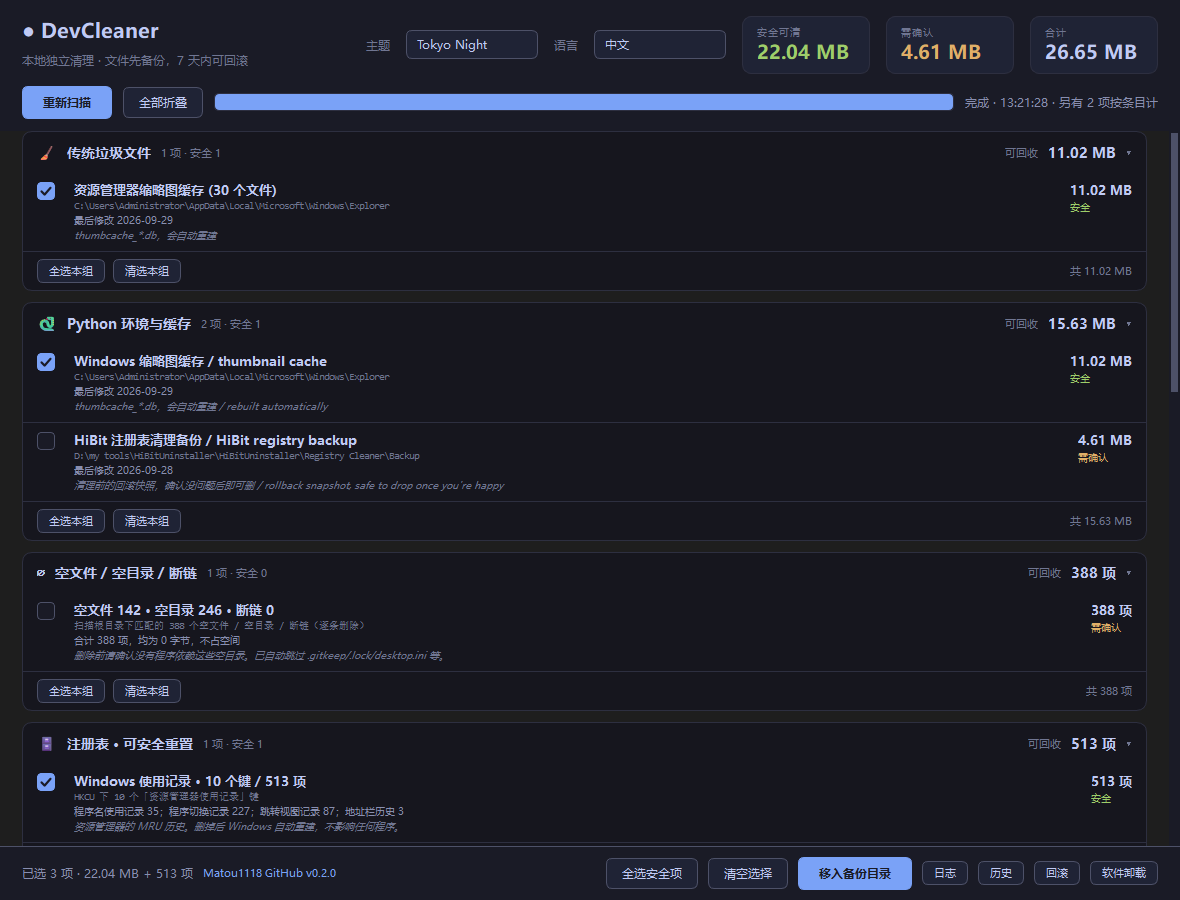
DevCleaner in the interface

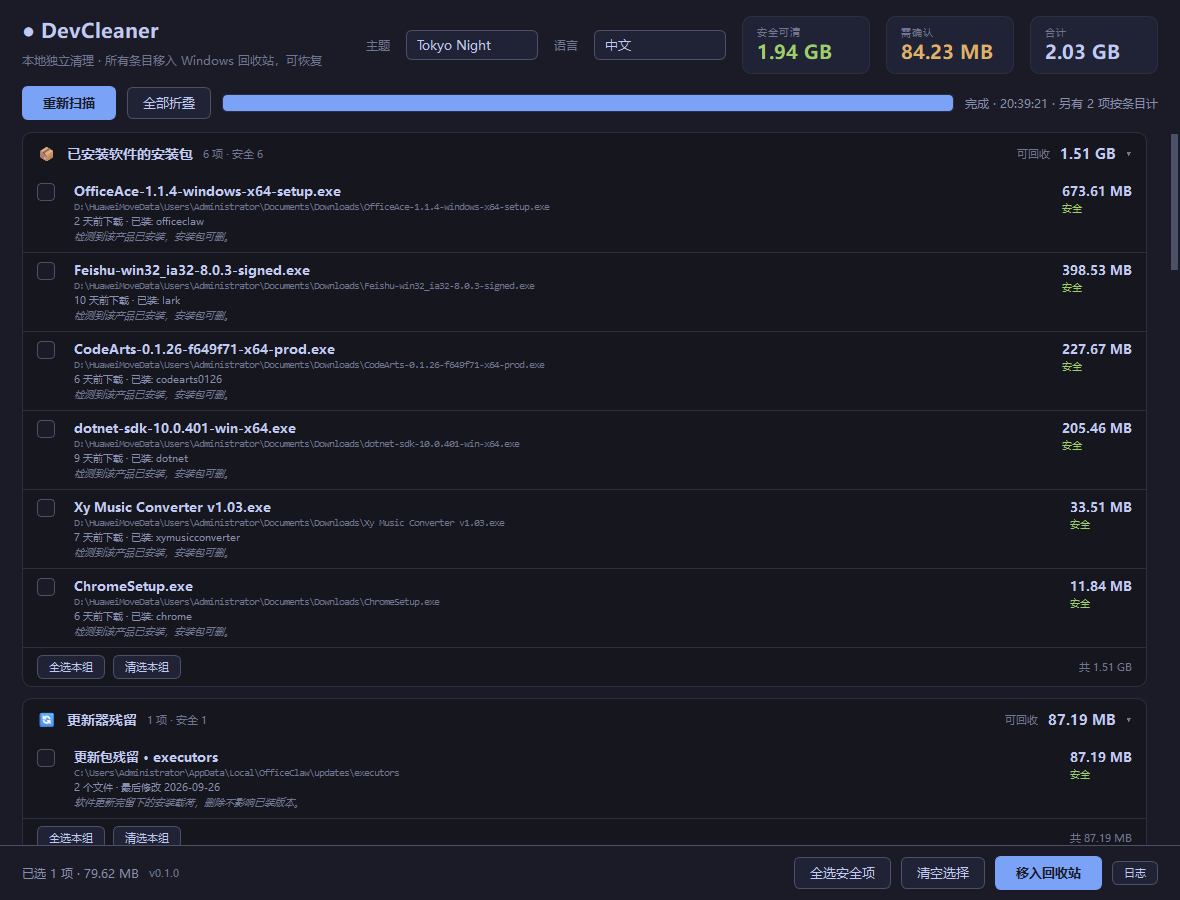
DevCleaner interface screenshot 1
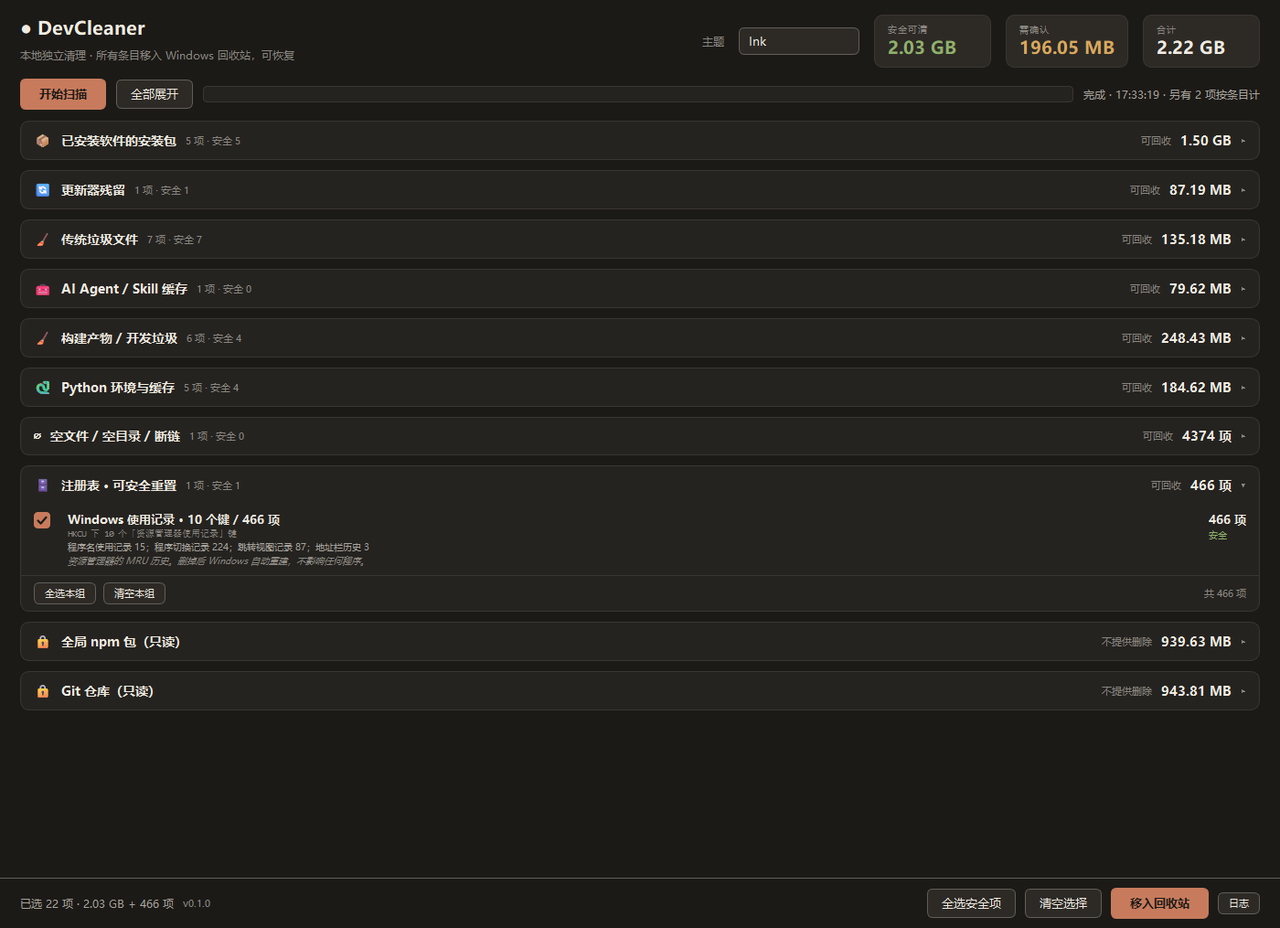
DevCleaner interface screenshot 2
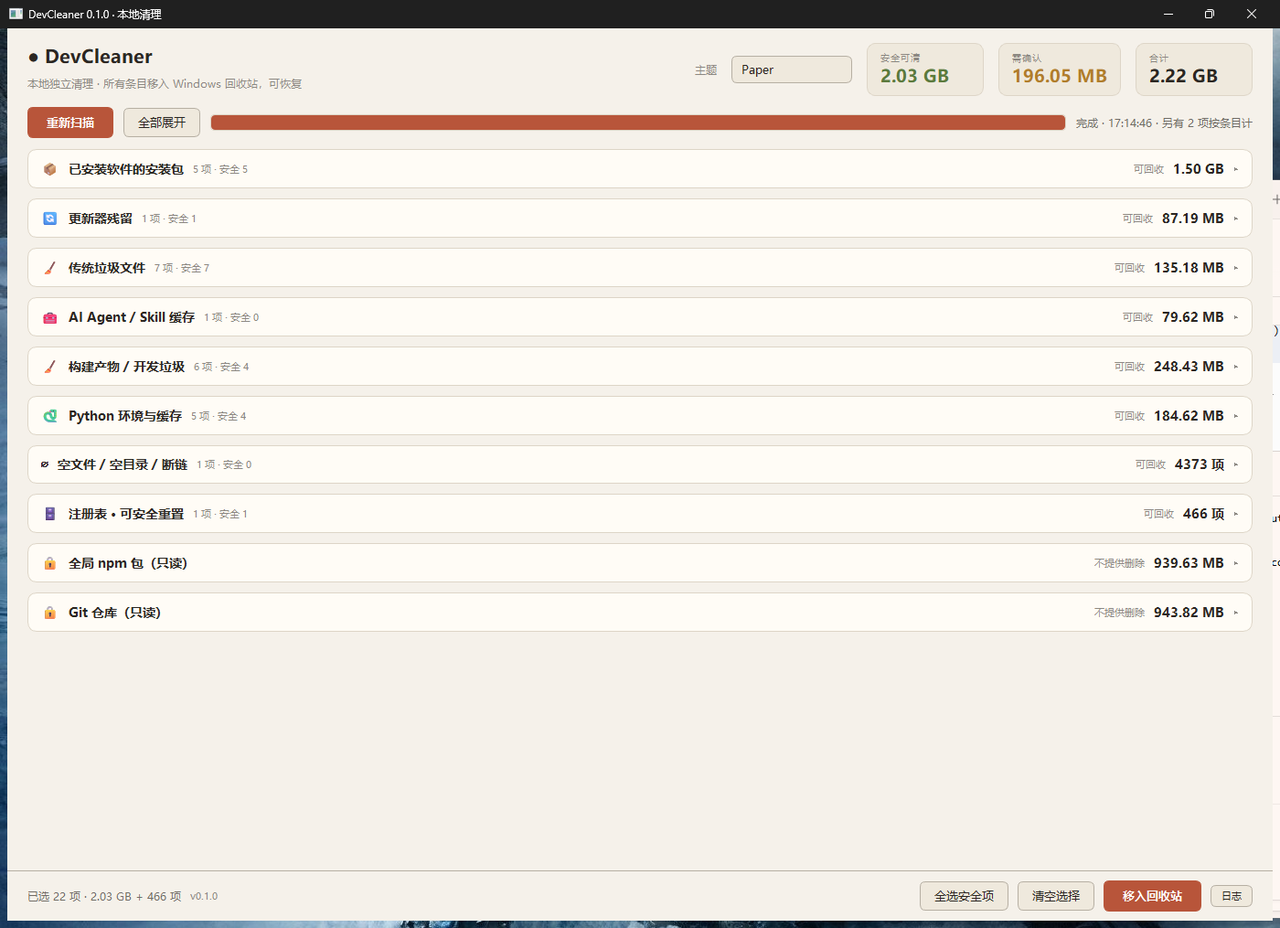
DevCleaner interface screenshot 3
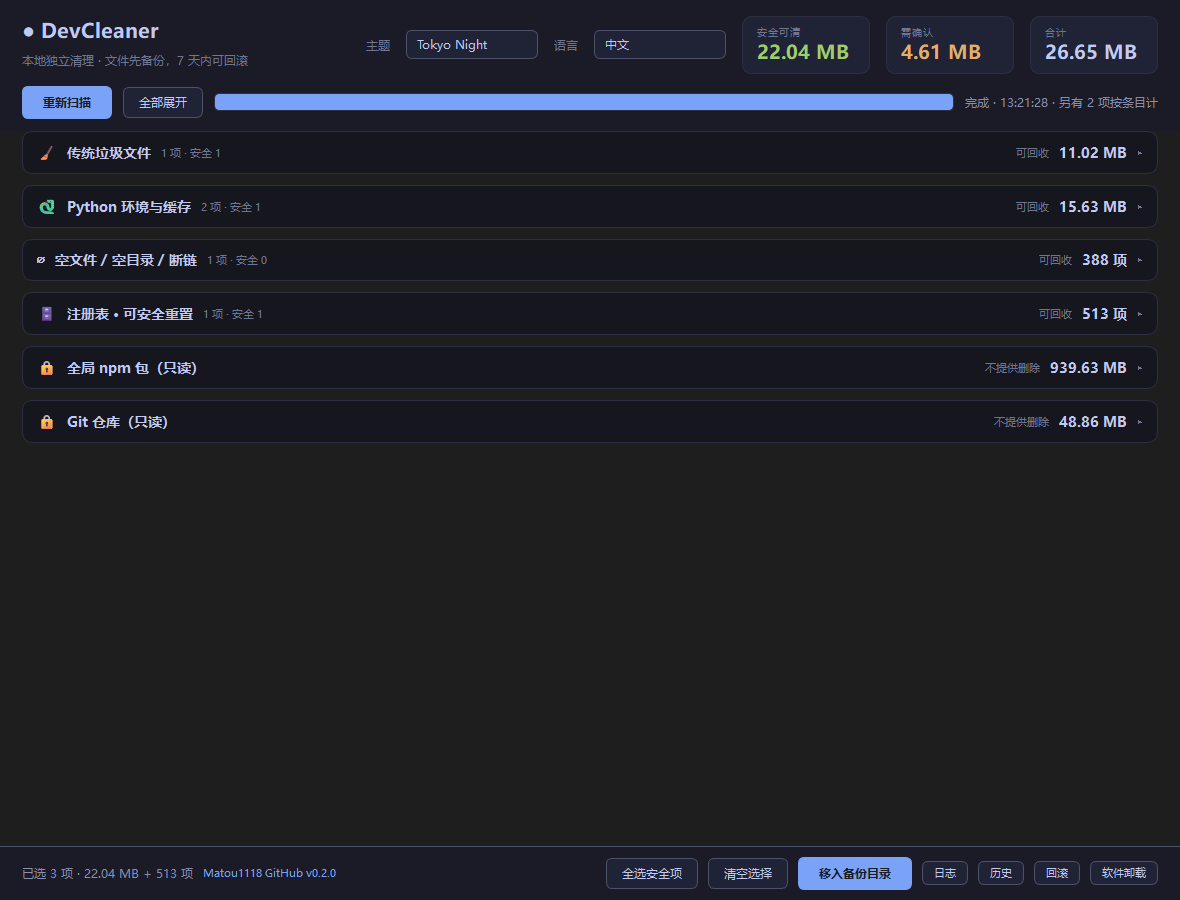
DevCleaner interface screenshot 4
DevCleaner interface screenshot 5