蜻蜓伴读
LiveHarmonyOS

Dragonfly Reader

A native HarmonyOS reading app: photograph a textbook and OCR it on-device with no network access. Covers the unified Chinese syllabus for grades 1-9 and 215 graded classical poems, with AI read-along scoring, virtual-classroom chorus reading and a focus study room.

How it is built

Dragonfly Reader is a native HarmonyOS reading companion for primary and secondary school students, built on HarmonyOS 5.0.4, current version v2.0.1.

Recognition runs on Huawei's CoreVisionKit on-device engine — the image is OCR'd entirely on the phone, never uploaded. Smart layout analysis skips headers and footers and rebuilds natural paragraphs from line spacing. PDF and TXT import are supported: a text layer is extracted directly, a scanned page is rendered and then OCR'd.

The corpus covers the unified Chinese syllabus for grades 1-9 (from 18 primary volumes) plus 215 graded classical poems, split into primary, middle and high school must-reads. Every lesson ships an author note, historical background and an appreciation guide; scan the code and it is ready to use.

The read-along loop is one paragraph led by the AI, one paragraph read back by the child, with four-level scoring feedback from the microphone. Add SM-2 flashcards scheduled by the Ebbinghaus curve, a three-stage virtual classroom (teacher leads, class repeats, now your turn), a pomodoro focus room and a study-plan tracker, and the chain is complete: photograph, read along, morning reading, focus, plan.

About 20 MB, and it works with no network at all. It is also where this site comes from: the filing entity is named after it.
Features

What it does

No need to open GitHub — this page spells it out.

01

Photograph and read

Point the camera at a textbook and get text out in seconds — on-device OCR, no network needed. Import from camera, gallery, PDF or TXT; textbooks and exam papers all read fine.

02

AI read-along

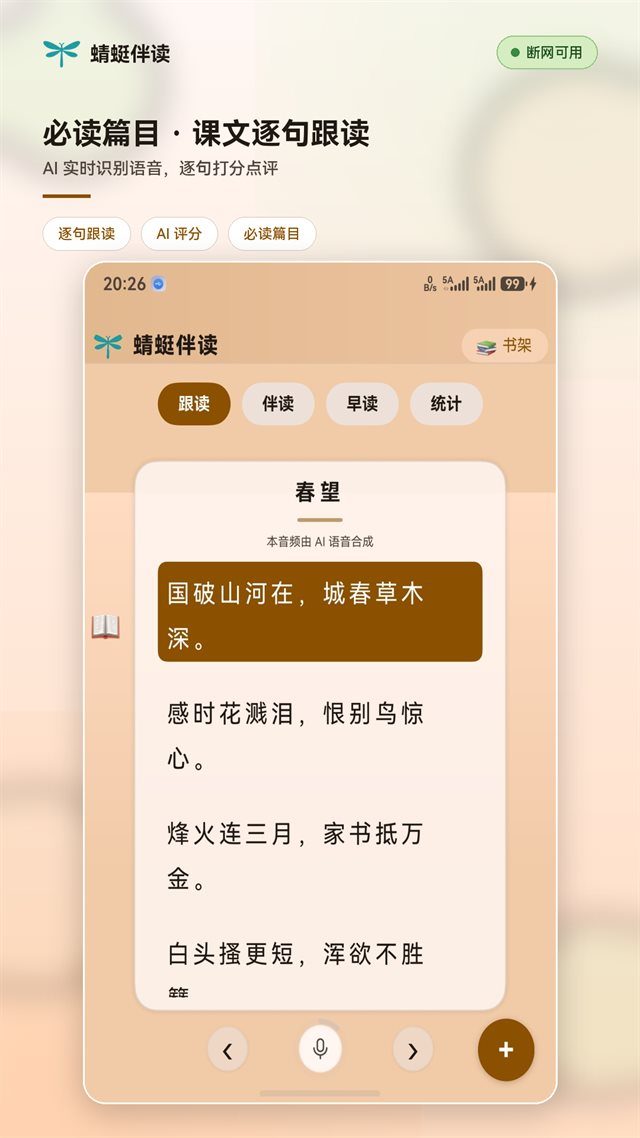
The AI reads a passage, the child reads it back, and the microphone returns a four-level score right away — a patient reading partner. Adjustable voice and speed, and you pick the passage from a TXT file.

03

Virtual classroom morning reading

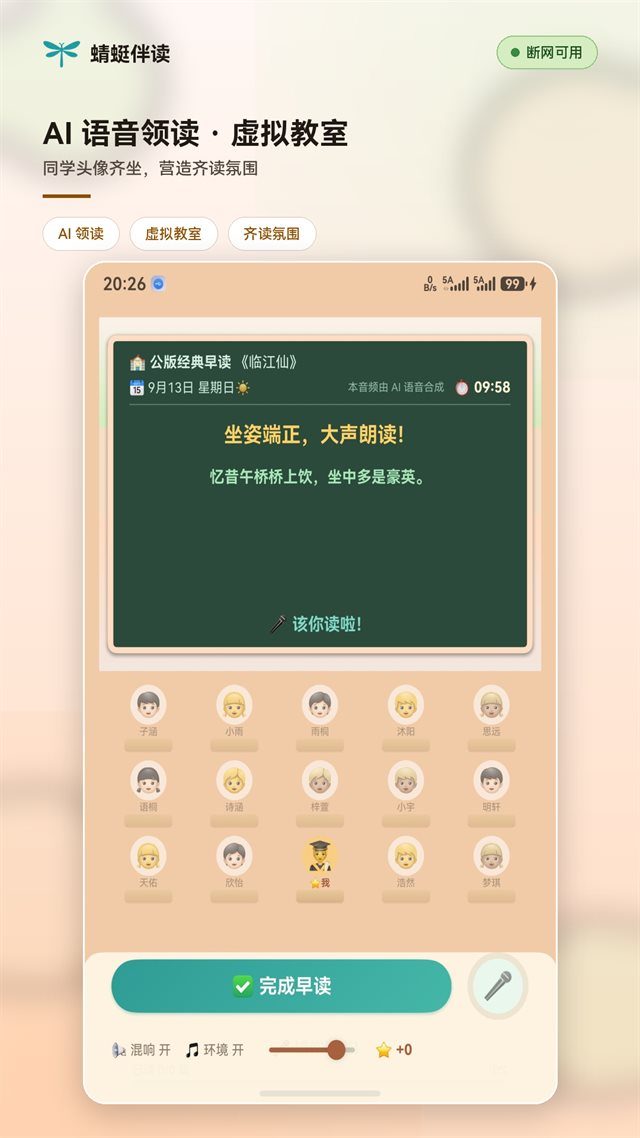
A classroom recreated: the board cycles through read-aloud mnemonics, and the session runs in three stages — the teacher leads, the class repeats, now it is your turn. Check in when done and share it in one tap.

04

Focus study room

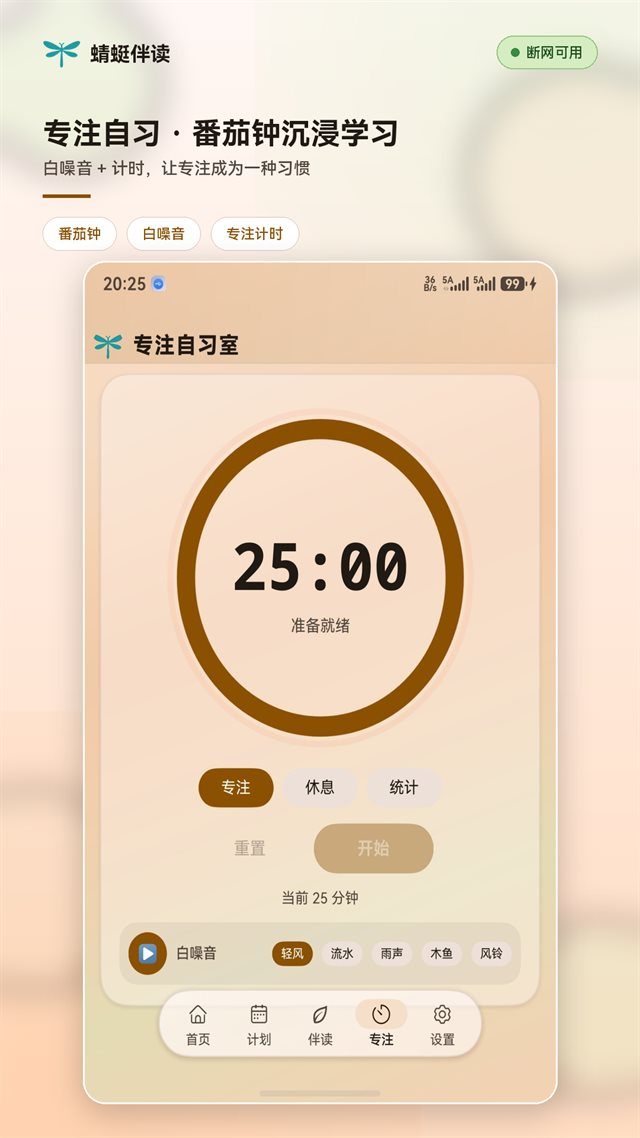
A pomodoro focus and break cycle with a white-noise player, so concentration becomes a habit. Daily, weekly, monthly and yearly focus reports at a glance.

05

Study plan and streaks

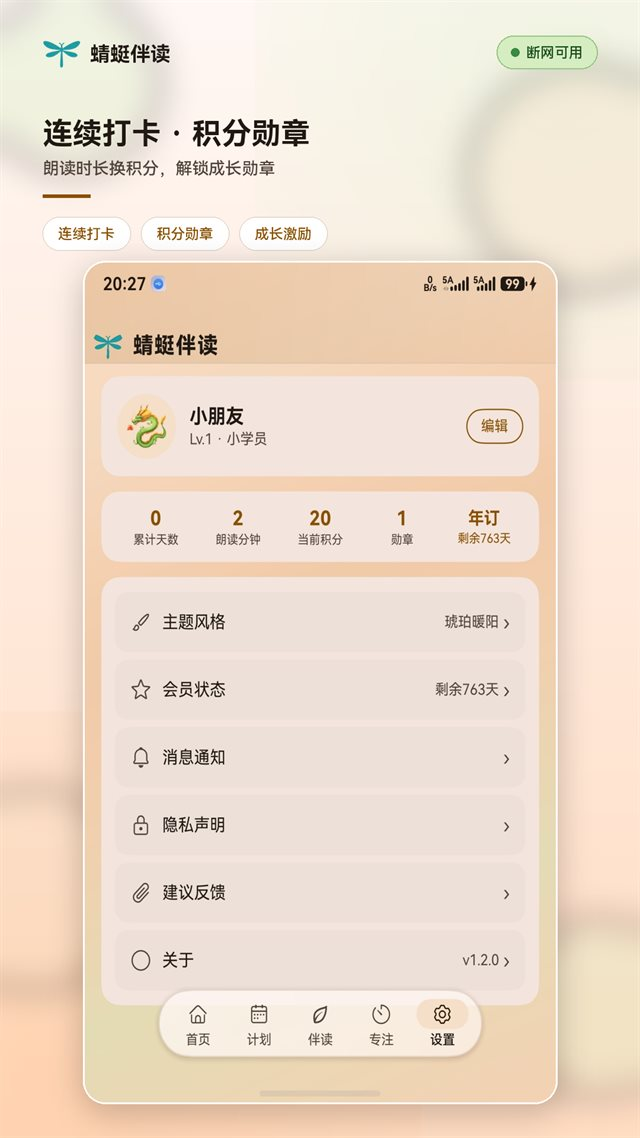
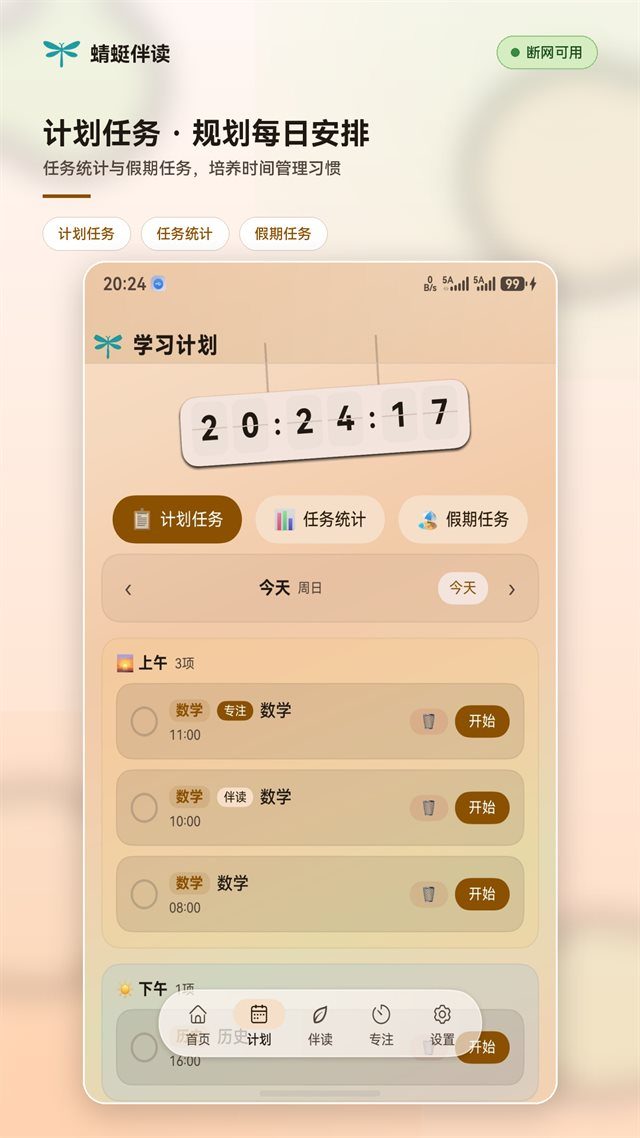
A task calendar for the day's to-dos, with dedicated timetables for the holidays. Daily check-ins earn stars, keeping the streak alive shows your progress, and badges make growth visible.

06

SM-2 flashcard review

New characters are collected automatically during read-along, and review intervals follow the Ebbinghaus forgetting curve. Flip through the cards and watch your mastery grow.

Screens

Dragonfly Reader in the interface

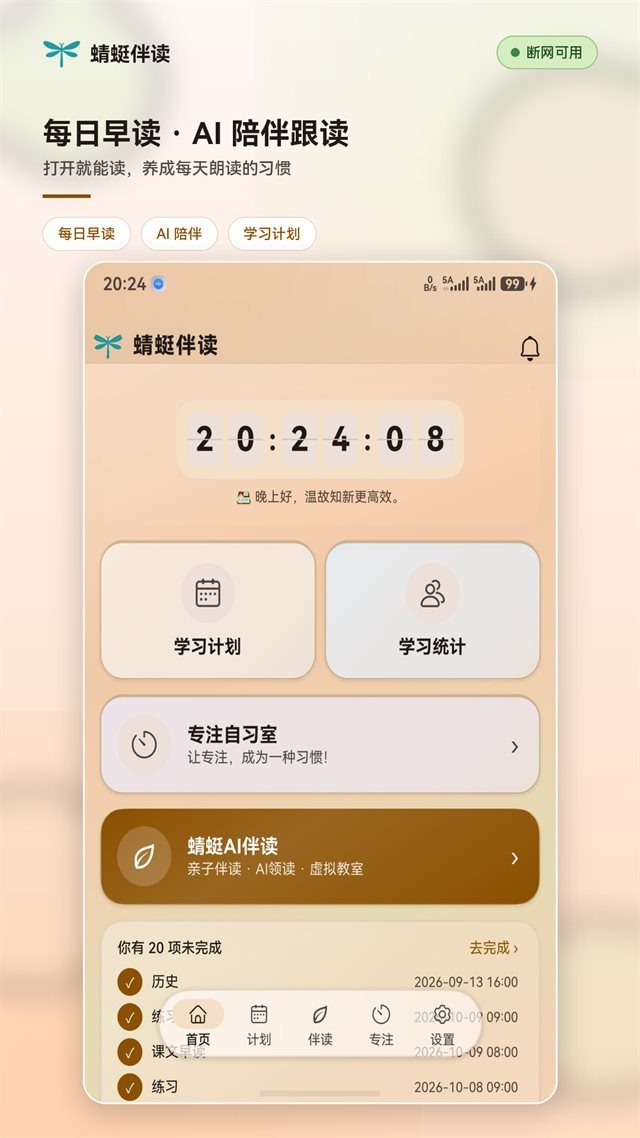
Dragonfly Reader interface screenshot 1
Morning reading
Dragonfly Reader interface screenshot 2
Line-by-line read-along
Dragonfly Reader interface screenshot 3
Virtual classroom
Dragonfly Reader interface screenshot 4
Streaks and badges
Dragonfly Reader interface screenshot 5
Study plan
Dragonfly Reader interface screenshot 6
Focus room
Photograph

Snap the textbook, let the AI read it

Camera, gallery or PDF — three ways in, text out in seconds, recognised on the device.

  1. 01

    Camera or gallery

    Open the camera and snap a textbook, or pick a picture from the gallery. Up to nine images per batch, each downsampled for you.

  2. 02

    On-device OCR

    Built on Huawei's CoreVisionKit on-device engine, text is recognised locally with no network. Smart layout analysis skips headers and footers and rebuilds paragraphs from line spacing.

  3. 03

    PDF and TXT import

    A PDF with a text layer is extracted directly; a scanned one is rendered and then OCR'd. TXT imports in one tap, so the child's own essays and reading material join the read-along flow.

  4. 04

    AI read-along

    Recognised or imported text enters the read-along flow automatically. The AI reads it paragraph by paragraph and the child reads it back. Layout is rebuilt for you and poems and prose are handled separately, so it works the moment you open it.

A day

Three minutes of morning reading, a whole day of focus

From dawn to dusk, Dragonfly Reader fits into the child's day.

  1. 01

    Morning reading

    Step into the virtual classroom, finish the three-stage morning session and check in — the reading voice starts the whole day.

  2. 02

    Preview by photo

    Snap the textbook, get instant on-device OCR, and let the AI read it paragraph by paragraph. Exam papers in PDF import too, so preview and revision are covered.

  3. 03

    After-school study

    A pomodoro timer and white noise get you into focus, then the task calendar clears what today actually needed.

  4. 04

    Holiday streaks

    Switch to the holiday timetable, check in daily to earn stars, and keep the streak going so term start is not a cold start.

Under the hood

The hard work behind the smooth experience

On-device OCR, system-grade speech, multi-voice synthesis — fast, stable and privacy-minded.

01

On-device OCR engine

Text recognition from Huawei's CoreVisionKit runs locally after the photo is taken — no network, no latency.

02

System-grade speech

HarmonyOS core speech services give natural, accurate reading. The core chain — reading, read-along, morning reading — runs on the device and works offline.

03

Chorus synthesis

Multi-voice detuning and stereo panning let one pair of headphones sound like a class reading together.

04

On-device privacy

OCR, read-along scoring and study data all stay on the phone. The voice never leaves the device. No ads, no social features, sign-up only if you want it.

Versions

Changelog

  • v2.0.1
    Flashcards, parent panel, home-screen card
    • SM-2 flashcards: new characters are collected automatically during read-along and scheduled by the Ebbinghaus curve, so revision actually sticks
    • Parent panel: data syncs across devices so parents can follow the child's progress from anywhere
    • Home-screen card: today's reading, focus sessions and study tasks at one tap